

Do you want to take your video-making to the next level?
In this article, you will find out how to create the best video editing software to boost your creativity, learn what is the best program to edit videos, what is the best video editing app, find what is the best free video editing software, and understand what tools are best for YouTube creators.
By the end, you will be equipped with practical information to make informed decisions on the selection of the appropriate software and hardware to use in your creative work.
You will also get to know how to streamline your workflow, choose the best laptop for video editing, and use useful hacks to produce professional-quality videos without the needless complexity. This guide will give you valuable advice on how to improve your productivity and creativity regardless of whether you are a beginner or an experienced creator.
For a deeper understanding of financial management for creatives and businesses, explore why finance training is important.
Understanding Video Editing Software
What is the best video editing software depends on what you want to achieve, the amount of money available, and the platform. Video editing software enables you to edit video clips, apply effects, insert transitions, and make audio tweaks. Professional software such as Adobe Premiere Pro, Final Cut Pro, and DaVinci Resolve is complex, and easier-to-use programs are simpler to use. It is important to know the capabilities of the software to align it with the needs of your project, be it a YouTube video, short film, or social media content.
Gain insight into investment and asset planning by reviewing the understanding CAPEX
Top Free Video Editing Tools
DaVinci Resolve: It provides free professional-quality color correction and editing tools.
HitFilm Express: Has visual effects and compositing, and traditional editing.
Shotcut: This is an open-source program that can work with a variety of formats with a simple interface.
Lightworks: The free version allows exporting high-quality video and simple editing tools.
Openshot: It is easy to use and suitable for fast video projects.
iMovie (macOS/iOS): Easy and user-friendly, ideal for Apple users.
Using what is the best free video editing software can assist novices and those with limited funds to get professional output without having to spend anything.
Learn how to plan your projects efficiently with guidance on how to write a business plan.
Choosing the Best Video Editing App
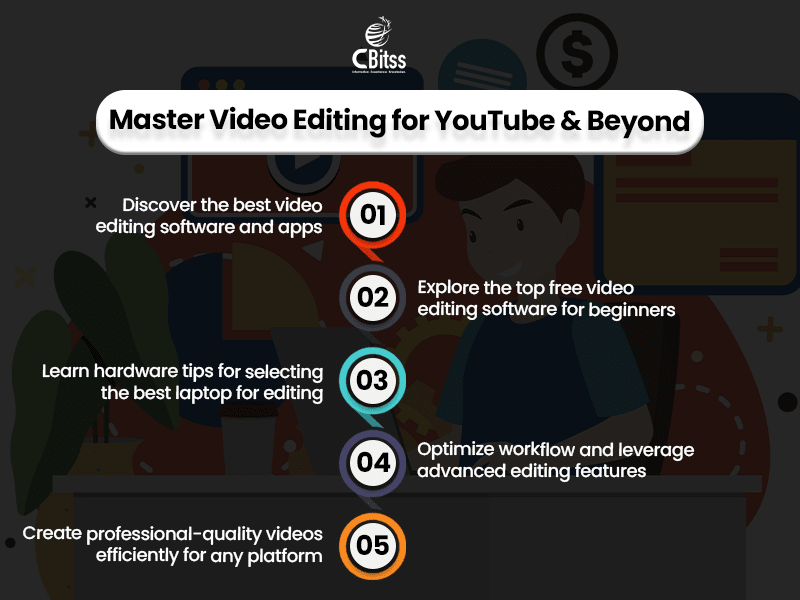
To answer, what is the best video editing app for platform and workflow, it will be Kinemaster, CapCut, and InShot. These are mobile applications that enable editing on the fly, whilst desktop
applications have higher-level controls. Find out features such as multi-track editing, 4K support, transitions, effects, and real-time previews. The most suitable app will be usable and functional, allowing creators to implement their vision most efficiently.
Also, when you use the best video editing software to boost your creativity, make sure that your changes will be safe and accessible on other devices.
Most modern applications also incorporate AI-aided technologies, e.g., automatic cuts,
background erasers, intelligent filters, etc., and they are faster to use and still provide quality.
Discover innovative ideas to start your own venture by exploring small business ideas.
Hardware Considerations
- Select laptops that have powerful CPUs and GPUs to render well.
- At least 16GB RAM, but ideally 32GB on complicated projects.
- SSD storage is more suitable because of the shorter file access and project load times.
- High-resolution displays can be used to edit and color grade videos accurately.
- Good thermal management does not throttle when doing extended edits.
- MacBook Pro, Dell XPS, Razor Blade, and Lenovo Legion are some of the popular models.
Using the best laptop for video editing will save time and frustration as your software will be fast and effective.
Enhance your skills in product strategy and development through product management courses.
Best Video Editing Software for YouTube Creators
YouTube creators require software that is tailored to internet content. What is the best video editing software for YouTube that supports easy exporting and multiple resolutions, has templates to create intros/outros, and captions and social media sharing? Software such as Adobe Premiere Pro, Final Cut Pro, and DaVinci Resolve can address these requirements and allow creators to create high-quality, entertaining videos that resonate with audiences on YouTube.
Such programs also provide additional functions such as motion graphics, audio mastering, and color grading to ensure videos are unique and of professional standards. Most of them also have collaboration features, cloud-based project storage, and support for plug-ins, giving creators the ability to simplify workflows and add enhancements made by third parties.
Build a strong foundation in accounting fundamentals by learning from an accounting introduction.
Optimizing Your Workflow
- Sort media files in folders so that they are easily accessed.
- Proxies are recommended for use on large 4K or 8K projects to enhance the rate of editing.
- Create reusable templates of titles, lower thirds, and transitions.
- Use shortcuts to make repetitive jobs quick.
- Keep a backup system to avoid the loss of data.
- Consistently upgrade programs to use the new features.
These tips will make sure your editing is smooth, efficient, and productive.
Improve team management and organizational efficiency by checking out human resource management.
Advanced Features to Look For
What is the best program to edit videos? It is usually answered with some more advanced programs, such as multi-camera editing, motion graphics, color grading, audio mixing, and visual effects. These features enable creators to make content of cinematic quality, improve narrative, and be consistent across projects. Choosing software that has good features helps in designing simple edits and producing intricate work.
Build your Excel expertise for smoother editing and organization with Microsoft Excel basics: the ribbon.
As well, advanced video editing software usually comes with AI-based features that can
accelerate operations such as scene recognition, backdrop eraser, and automatic color enhancement. They also provide easy interoperability with other artistic software, providing a smooth graphics workflow, sound workflow, and visual effects workflow.
Start developing apps and mobile solutions by understanding why do we need to take up Android training.
Beginner-Friendly Editing Options
Software that is simple enough and has the necessary features is of use to beginners. Free
applications such as iMovie, Shotcut, and Lightworks offer a user-friendly interface but still have the main editing features. The mobile apps enable users to edit the clips quickly and share them instantly. The best free video editing software at the beginning will help you to learn the basics without feeling overwhelmed, which will give you a strong ground before transitioning to higher programs.
Compare platforms and make informed mobile decisions with Android vs iOS development: which platform is better.
Tips for YouTube Video Editing
- Plan videos with a storyboard.
- Make the aspect ratio and resolution YouTube-friendly.
- Include royalty-free music and sounds to increase the involvement.
- Minimal use of transitions and effects to remain professional.
- Export in suggested formats to be uploaded faster and of a higher quality.
- Watch analytics as a future enhancement to video.
These tips can assist creators in utilizing what is the best video editing software for YouTube that fits their needs and thereby help to make the most out of the audience.
Ensure your websites look great on any device by learning about what is responsive web design.
Conclusion
To conclude, the answer to what is the best video editing app or choosing the Best Video Editing Software to Boost Your Creativity requires understanding your goals, platform, and workflow.
By selecting the right tools, whether it’s the best free video editing software, a mobile app, or a professional desktop program, and pairing them with the best laptop for video editing, you can create high-quality, engaging content efficiently.
Test various apps, get to know more advanced features, and implement workflow strategies to take your video editing to the next level.
Discover ways to efficiently save and manage data within your apps by reading how to store data locally in the Android app.
Start with the best video editing software to boost your creativity today.
You will find one that fits your style and your projects. Begin making professional videos that will shine on YouTube, social media, or your own projects today.
Stay updated on emerging technologies by exploring the future of cloud computing and cloud computing training in Chandigarh.